
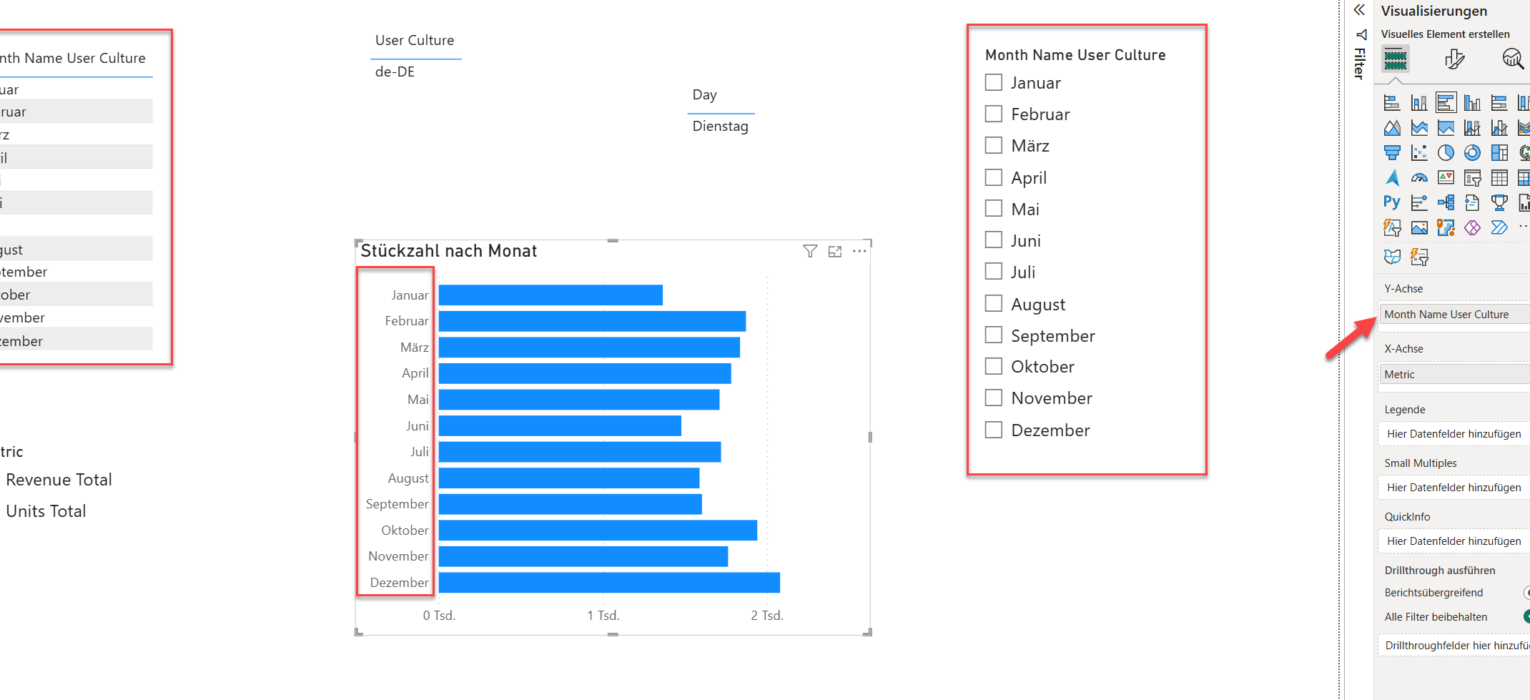
A few weeks ago, I was sitting in a session at FabCon Atlanta. It was an amazing session about Direct Lake semantic models and various optimization tips and tricks, delivered by true masters, Christian Wade and Phil Seamark (both from Microsoft). Among many fantastic topics, the one that immediately caught my attention was the new feature that Christian Wade introduced: User-context-aware calculated columns.
Although we all know that DAX calculated columns are the “last island” in what are considered recommended data modeling practices (“Roche’s Maxim”, etc.), this one still stood out for me as something that might be super useful in certain scenarios.
I was so excited that I immediately shared the news on social media. And, reactions on that post confirmed that Power BI practitioners were quite confused about this feature (so was I).
To be honest, I never heard of a concept called: User context. We all know about the row context and the filter context in DAX, but what on Earth is now the user context?!
In simple words, it allows you to capture the user’s locale settings (like culture, for example) and bake this information into your semantic model. It relies on the USERCULTURE() DAX function. If you think of the USERCULTURE as one of the new, fancy DAX functions, you can’t be more wrong! In fact, this function has been here for a while, but up until now, we were able to use it only in DAX measures to dynamically calculate measure results based on the user’s locale settings (language code-country code, such as “en-US”, “de-DE”, “it-IT”, and so on).
You can read more about the USERCULTURE() function in Microsoft’s official documentation.
One of the most common examples was to leverage this function to dynamically translate the visual titles, based on the user locale settings. Here is the basic example:
SWITCH (
  USERCULTURE(),
  "de-DE", “Umsatz nach Produkt”,
  "fr-FR", “Ventes par produit”,
  “Sales by product”
)
In the code above, the measure obtains the user culture settings (let’s say, it’s German “de-DE”), and then returns the “Umsatz nach Produkt” string. This happens dynamically during the measure evaluation.
There were many creative implementations of this pattern, like this one from Gerhard Brückl, where he explains how to extend this approach and make it even more robust in synergy with the Field parameters feature.
Word of warning: The USERCULTURE function behaves differently between measures and calculated columns. As mentioned on the Microsoft docs page, the USERCULTURE() function only returns the current user’s culture when called inside a measure. If you use USERCULTURE() in a calculated table or calculated column, it returns the culture name of the semantic model’s default language instead, because those expressions are evaluated at model load time.
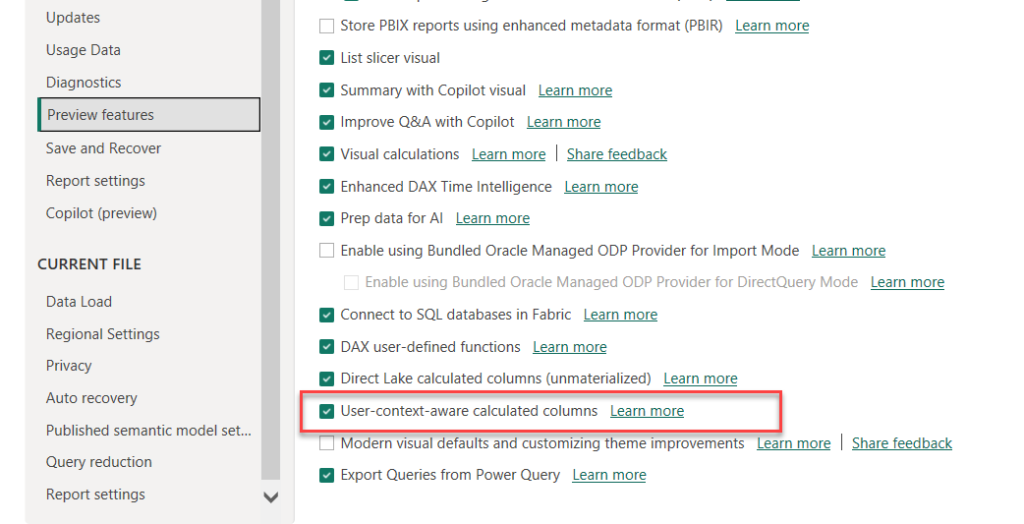
Now, to the new feature:) Which is, by the way, still in preview at the moment of writing, so you first need to enable it in the Preview features tab in the Options and settings.
Once I open Power BI Desktop, I’ll connect to the local Excel file that consists of two sheets:
- Months – this is the sheet with month names in various languages (English, German, Spanish, etc.)
- Sales – a typical fact table that contains data about sales
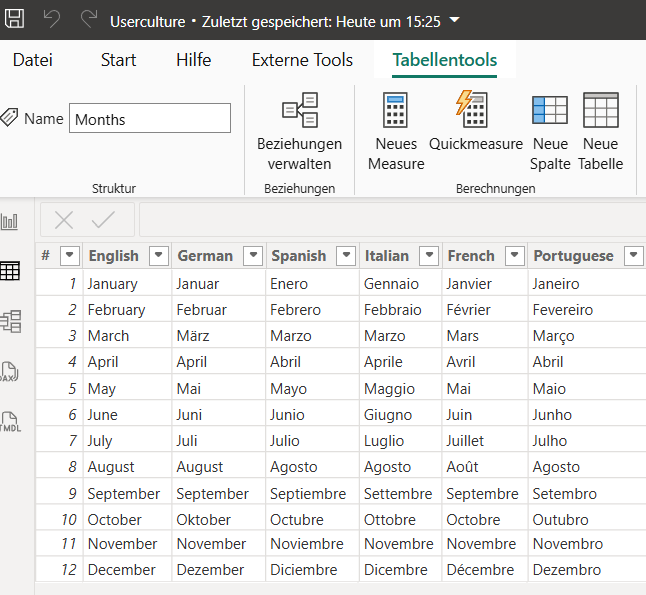
As you may tell, I’m using German locale settings (since I’m based in Austria). So, the idea is to automatically display month names in German for me, but if my colleague is using, let’s say, Italian locale settings, their months should be displayed in Italian.
The first step is to create a new calculated column:
I’ll use the following DAX expression:
Month Name User Culture =
VAR _UserCulture = USERCULTURE()
RETURN
SWITCH (
    _UserCulture,
    "en-US", Months[English],
    "fr-FR", Months[French],
    "es-ES", Months[Spanish],
    "de-DE", Months[German],
    "pt-PT", Months[Portuguese],
    "it-IT", Months[Italian],
    Months[English] --Default
)
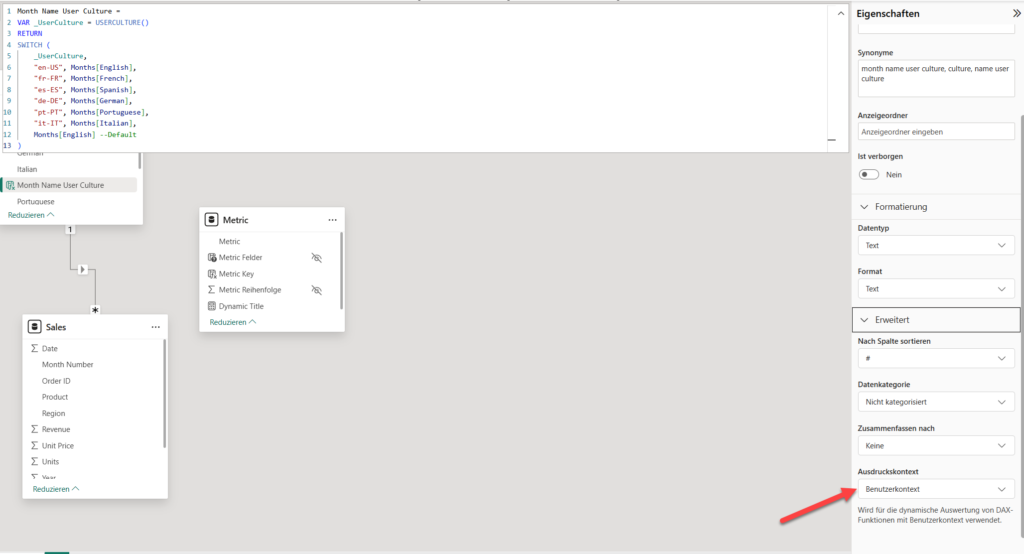
The key thing for this to work is to switch the context from Standard to User context. Otherwise, the expression will throw an error. This way, Power BI knows that we plan to use this calculated column in a non-standard way.
Now, when I start building my visuals on the report canvas, the new column will automatically switch to display month names in German:
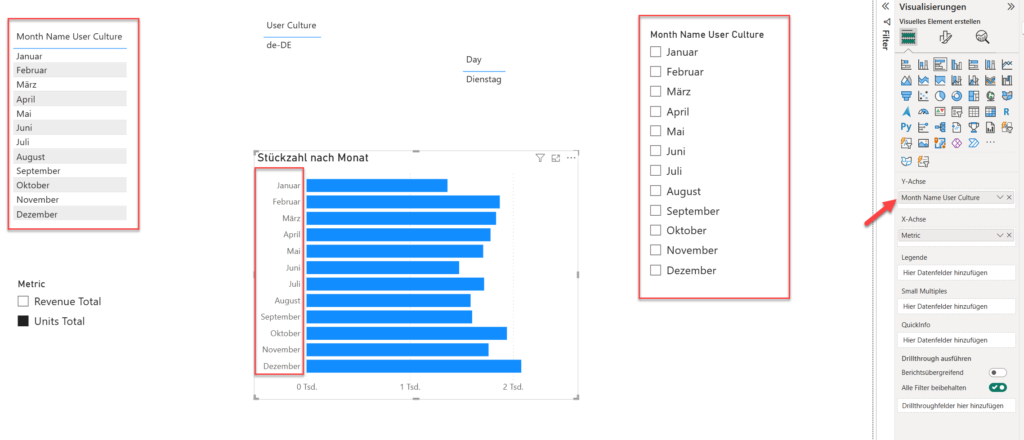
But, when my Italian colleague opens the same report, they will see month names displayed in Italian (of course, assuming that their locale settings are Italian:)) – How cool is that!
A couple of remarks worth keeping in mind before you go crazy finding more creative ways to implement this feature (especially important to understand the difference between the Import and DirectQuery models’ behavior):
- DirectQuery – the result is determined by the language (locale) specified in Language Settings in the Power BI service. The default in Language Settings specifies locale is determined by the user’s browser language setting, which means the same calculated table or column can return different results depending on the browser language settings for each user
- Import mode – the result is statically determined during refresh and will not change at query time. For managed refreshes, such as scheduled or interactive, the locale is not based on the user’s browser language setting but instead uses an invariant locale
What are your thoughts about the user context calculated columns? Any practical use cases (aside from translations, which is a big win on its own) you can think of right now? Please let me know in the comments.
Thanks for reading!
Last Updated on April 21, 2026 by Nikola


